Move your music to a new service. Free.
Playlists, liked songs, albums and artists move to Spotify, Apple Music and 10 more services. No song limit, no card.
- No card
- In your browser
- iPhone and Android
Songs moved for free this week: 147,674
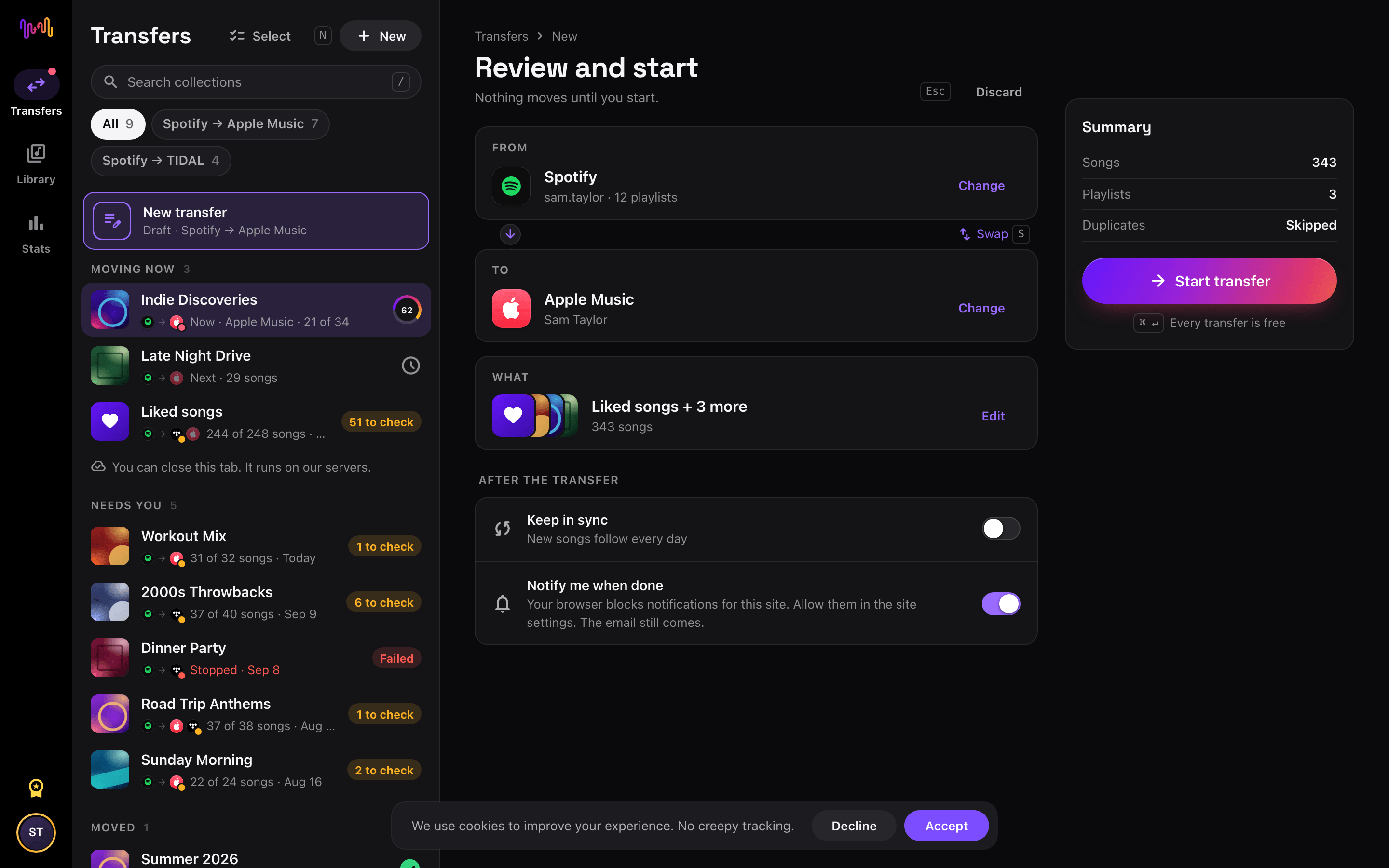
How it works
Three steps to move your music.
- 1
Pick where your music is
Sign in with the service's own login. Your password stays with the service.
- 2
Pick where it should go
Choose the new service. Playlists, liked songs, albums and artists all move free.
- 3
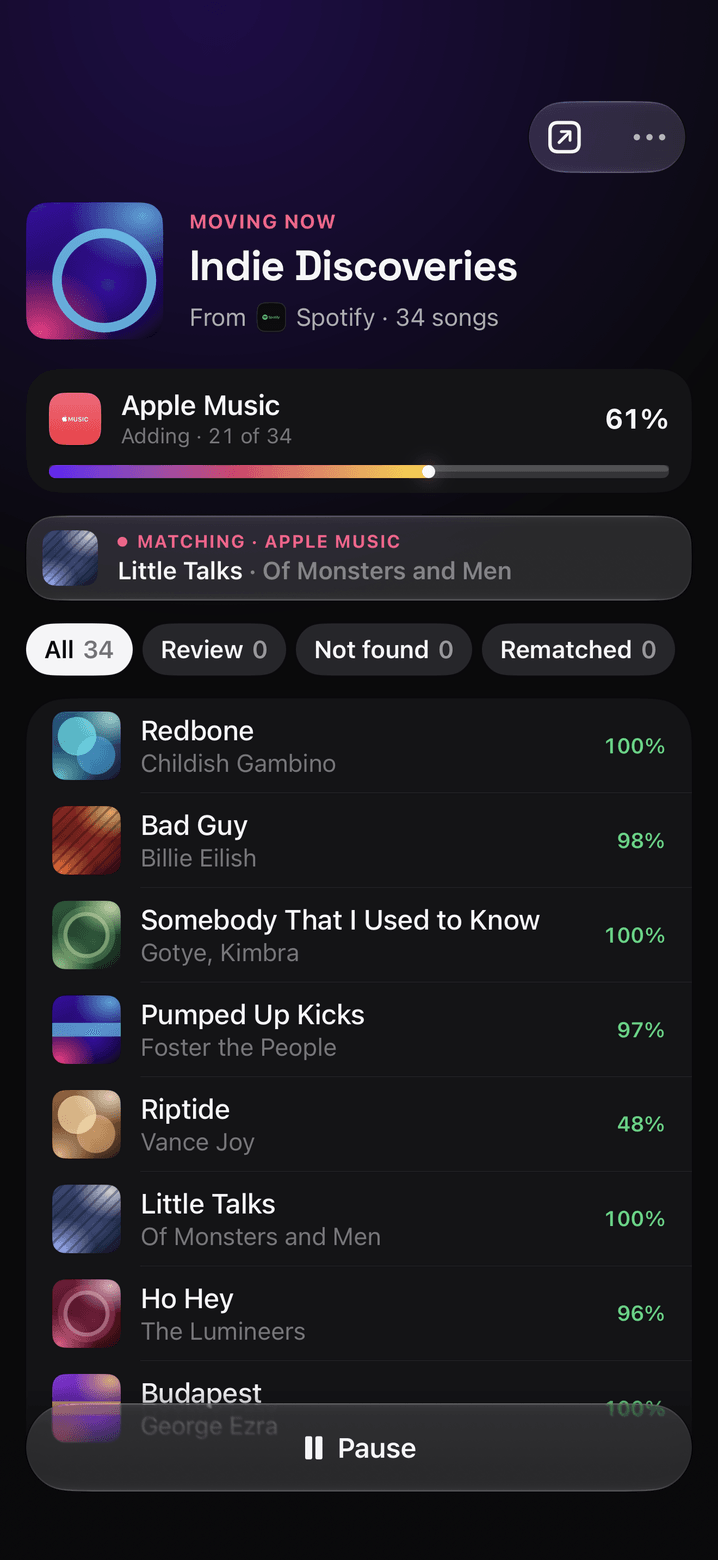
Watch it move
Songs are matched one by one, live. You see each song when it is matched, and the transfer keeps going if you close the tab.


The film
Your music, moved in one minute.
Years of playlists move to a new service in three taps. Turn the sound on.
More than a transfer
Then manage your playlists on every service.
FreeYourMusic is now the place to run your playlists, wherever they live. Transfers, covers and the main Stats are free. Try every tool free; Premium is asked for only when you apply a change or turn on sync.
Sync
Keep a playlist on two services. New songs on the source reach the copies once a day.
Playlist sync
Playlist tools
Sort, shuffle, remove duplicates, split, merge, clean up and restore from history, with a before and after preview.
- Remove duplicates
- Sort
- Shuffle
- Split
- Merge
- Clean up
- Restore from history
Covers
Make a playlist cover from your songs, a colour or a photo. Set it on Spotify, or save the image and share it.
Cover makerStats
Your top artists, songs and listening habits. The main sections are free; Premium opens every section.
See your statsInsights
Followers over time for your playlists, on the services that share the number.
Playlist insightsFree vs Premium
Moving is free. Premium keeps it in shape.
Premium keeps your playlists in sync every day, opens every playlist tool, playlist insights and all of Stats.
3 months
€14.99 every 3 months. Cancel any time.
Choose 3 months| What you get | Free | Premium |
|---|---|---|
| Playlist and followed playlist transfers | ||
| Liked songs, liked albums, followed artists | ||
| Rematch | ||
| Copy a playlist to another service | ||
| Cover creator, CSV export, Stats main sections | ||
| Keep in sync (daily) | – | |
| Playlist tools | – | |
| Insights | – | |
| Every Stats section | – | |
| MCP server and CLI for AI apps | – |
“Transferred about 95% of my 6,000 tracks from Spotify to Apple Music in a couple of hours. Saved me days of manual work. Highly recommended.”
“Excellent, works perfect. Transferred my Amazon Music over to YouTube Music without a hitch. Very happy with the purchase.”
“Great and simple way to move my library. Years of work to build a great library and I was feeling locked in. Thanks for freeing my music.”
Questions people ask
Is FreeYourMusic really free?
Yes. Every one-time transfer is free: playlists, followed playlists, liked songs, albums and artists, with no song limit and no card. Premium is for people who use more than one service: it keeps your playlists in sync every day, and adds the playlist tools (sort, shuffle, dedupe, split, merge, clean up, restore), playlist insights and every Stats section.
Is every app free with no song limit?
Yes, in the web app at freeyourmusic.com/app and in the FreeYourMusic apps for iPhone, iPad and Android from version 11. Older versions of the phone apps and the old desktop app still count the songs of a free transfer. On an older version, use the web app to move everything free.
Which music services can I move between?
FreeYourMusic works with Spotify, Apple Music, Amazon Music, YouTube, YouTube Music, Tidal, Deezer, SoundCloud, Qobuz, Audiomack, Audius, and Boomplay. Each transfer page tells you what moves between its two services. The web app also saves your playlists and liked songs as a CSV file, free (File Backup).
Is my password safe?
Yes. You sign in on each service's own login page. Your password is never shared with FreeYourMusic.
Do you share my listening data?
Only as anonymous statistics. We read your listening history only after you turn on Stats. We share listening data with artists, labels and partners only as statistics that combine many people, so no person can be identified. We never sell your personal data.
Where does FreeYourMusic work?
In your browser at freeyourmusic.com/app on any computer, and in the apps for iPhone, iPad and Android. One account works everywhere. YouTube Music connects once in the iPhone or Android app, then it works in your browser too.
Can I undo a playlist tool?
Yes. Every change goes to the playlist's History. Restore puts the playlist back as it was.
How do I cancel Premium?
Cancel any time in the billing portal. If you are not happy, ask for a refund within 3 days.
Make music? Meet Music24, our sister product.
Independent artists use it for music promotion, playlist pitching and to see what their music earns.
Your music belongs to you.
Move your whole library free today. Keep your playlists in shape on every service.
Open the appSongsBrew — our free music newsletter
A free perk for FYM users. Tips, playlists, no spam.